
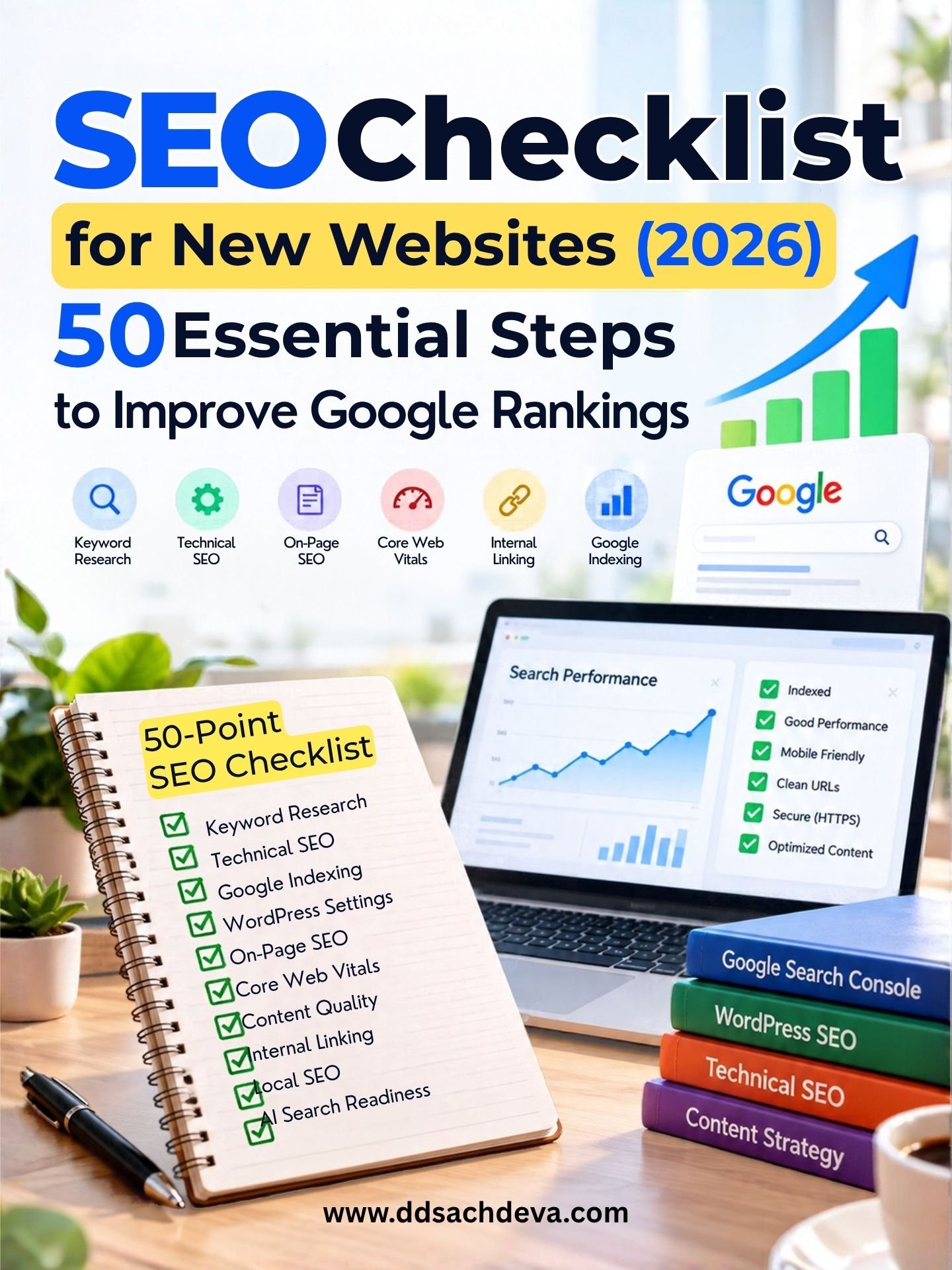
SEO Checklist for New Websites (2026): 50 Essential Steps to Improve Google Rankings
Table of Contents
Launching a new website is exciting. You have selected a domain name, chosen a design, prepared your content and made your website available online.
But an important question remains:
Will potential customers and readers be able to find your website on Google?
A website can look professional, load correctly and offer useful information yet receive very little organic traffic. One common reason is that search engine optimization (SEO) was not considered during website planning and development.
Search engines need to discover your pages, crawl their content, understand their purpose and determine whether they are relevant to people’s searches.
Visitors need useful information, clear navigation, fast loading, mobile-friendly layouts and a website they can trust.
This is why following a comprehensive SEO checklist for new websites is important.
In this guide, I explain 50 essential SEO steps for launching and optimizing a website in 2026. The checklist covers keyword research, technical SEO, Google indexing, WordPress settings, on-page SEO, Core Web Vitals, content quality, internal linking and AI-powered search.
You will also find practical website optimization advice, common mistakes to avoid, a 90-day SEO action plan and frequently asked questions.
Whether you are launching a business website, WordPress blog, e-commerce store or professional portfolio, this guide will help you build a stronger foundation for organic search visibility.
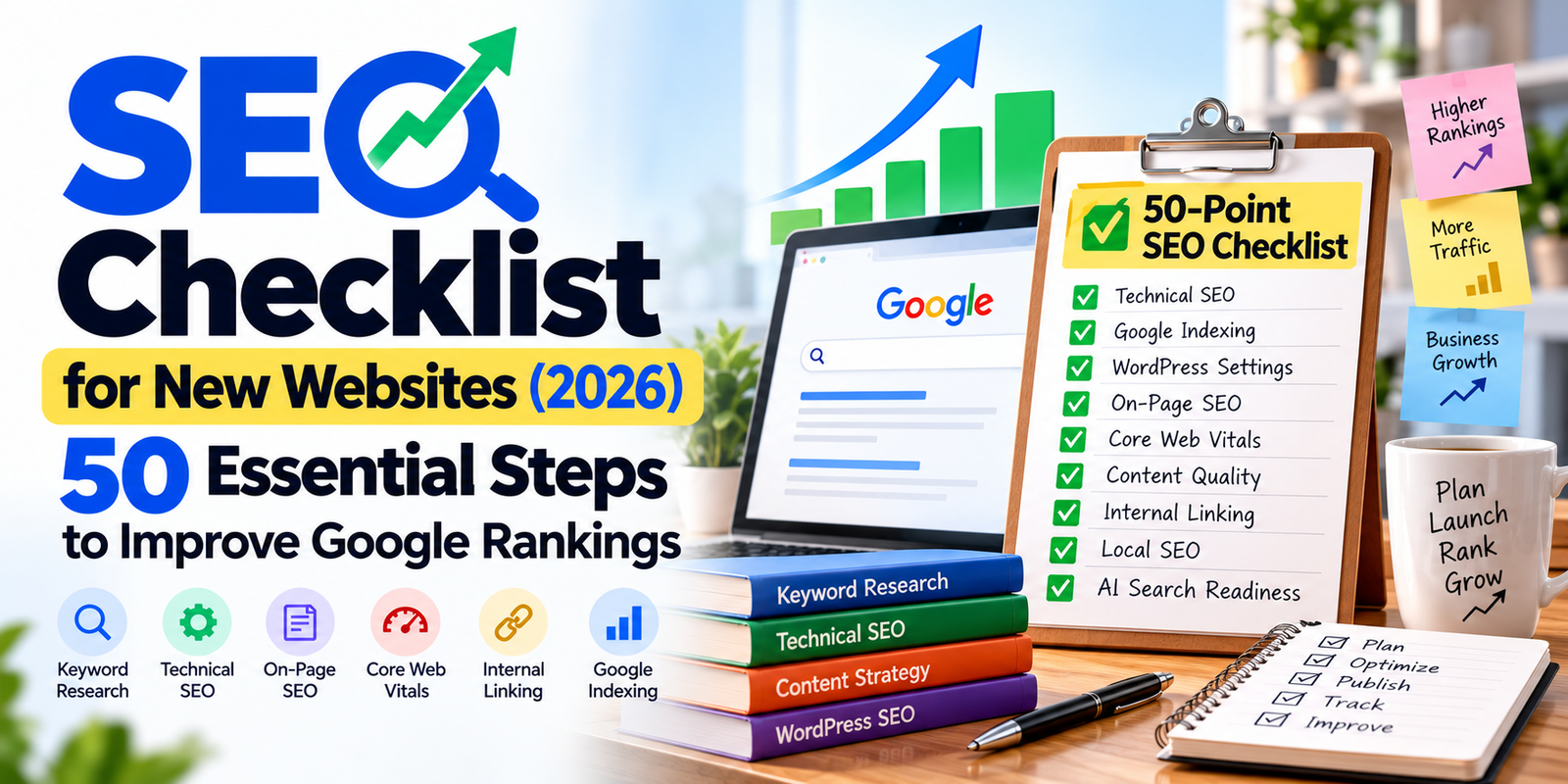
Complete 50-Point SEO Checklist for New Websites
Use this practical checklist before launching your website and during the first few months after launch.
Website Planning and Keyword Research
☐ 1. Define your website’s purpose and business objectives.
☐ 2. Identify your target audience and their requirements.
☐ 3. Research relevant primary and secondary keywords.
☐ 4. Understand the search intent behind target keywords.
☐ 5. Analyze competing websites and search results.
☐ 6. Plan a logical website structure.
☐ 7. Choose descriptive and SEO-friendly URLs.
Technical SEO Checklist
☐ 8. Enable HTTPS and install a valid SSL certificate.
☐ 9. Configure redirects to your preferred www or non-www website version.
☐ 10. Review your robots.txt configuration.
☐ 11. Check indexing directives and remove accidental noindex settings.
☐ 12. Generate an XML sitemap.
☐ 13. Submit your sitemap to Google Search Console.
☐ 14. Inspect important website URLs for indexing issues.
☐ 15. Review canonical tags.
☐ 16. Find and fix broken internal links.
☐ 17. Check redirects, 404 errors and server responses.
☐ 18. Implement and validate relevant structured data.
Mobile SEO and Website Performance
☐ 19. Make your website fully responsive.
☐ 20. Review Core Web Vitals.
☐ 21. Compress and optimize website images.
☐ 22. Reduce unnecessary JavaScript and third-party scripts.
☐ 23. Configure suitable caching and performance optimization.
☐ 24. Test important pages on mobile devices.
On-Page SEO Checklist
☐ 25. Write descriptive SEO titles.
☐ 26. Create relevant meta descriptions.
☐ 27. Organize content using logical H1, H2 and H3 headings.
☐ 28. Match each important page to the appropriate search intent.
☐ 29. Include primary and related keywords naturally.
☐ 30. Add contextual internal links.
☐ 31. Write meaningful image alt text.
☐ 32. Improve website navigation and breadcrumbs.
WordPress SEO Checklist
☐ 33. Configure SEO-friendly WordPress permalinks.
☐ 34. Install and configure a suitable SEO plugin.
☐ 35. Review sitemap, canonical and indexing settings.
☐ 36. Organize WordPress categories and tags.
☐ 37. Update WordPress, themes and plugins.
☐ 38. Maintain backups and website security.
Content Quality Checklist
☐ 39. Publish original, accurate and helpful content.
☐ 40. Display clear author information.
☐ 41. Support important claims with reliable references.
☐ 42. Avoid unnecessary duplicate or overlapping pages.
☐ 43. Develop meaningful topic clusters.
☐ 44. Review and update important articles.
SEO Growth and Monitoring
☐ 45. Configure Google Analytics 4.
☐ 46. Monitor Google Search Console regularly.
☐ 47. Set up a Google Business Profile if your business is eligible.
☐ 48. Earn legitimate backlinks and relevant brand mentions.
☐ 49. Measure website engagement and conversions.
☐ 50. Maintain an ongoing SEO improvement strategy.
Why SEO Should Begin Before Launching a Website
One of the most common mistakes in website development is treating SEO as an activity that begins only after a website is completed.
A business may invest in professional design, attractive images, animations and advanced features without first considering how potential customers search for its products or services.
After launching, the owner discovers that important pages are missing, service descriptions are too general or the website structure does not reflect relevant search topics.
Correcting these issues may require additional content development, changes to navigation or URL restructuring.
Planning SEO before development can reduce avoidable work.
Define Your Website Objectives
Before designing a website, determine what you want it to achieve.
Possible objectives include:
- Generating enquiries
- Selling products online
- Attracting readers through organic search
- Building brand awareness
- Providing educational information
- Encouraging appointment bookings
- Generating advertising revenue
Your website structure and content should support these objectives.
Understand Your Target Audience
Ask yourself:
- Who is likely to visit the website?
- What problems are visitors trying to solve?
- Which questions do they ask before making a decision?
- What information do they expect to find?
- What action should they take after reading a page?
A healthcare website, e-commerce store and educational blog require different content strategies.
Practical SEO recommendation: Plan your important pages and their purposes before selecting the final website layout.
Keyword Research and Search Intent
Keyword research identifies the words and phrases people use when searching online.
It helps website owners understand demand, discover content opportunities and organize pages around relevant topics.
However, successful keyword research involves more than collecting high-volume search terms.
You must understand why people search.
Types of Search Intent
Search intent can generally be divided into four categories.
| Search intent | Example | Suitable webpage |
|---|---|---|
| Informational | How to improve WordPress SEO | Educational tutorial |
| Commercial | Best WordPress SEO plugins | Comparison guide |
| Transactional | Hire an SEO consultant | Service page |
| Navigational | Google Search Console | Official website or tool page |
A page targeting an informational query should provide a useful explanation.
A service page should help potential customers understand the service, evaluate the provider and make contact.
Trying to satisfy several unrelated intentions on one page can make the content less focused.
How to Find SEO Keywords for a New Website
Useful research sources include:
- Google autocomplete suggestions
- Google Trends
- Google Keyword Planner
- Google Search Console
- Semrush
- Ahrefs
- Relevant customer questions
- Competitor website content
For each potential keyword, evaluate:
- Relevance to your website.
- Search intent.
- Competition in the search results.
- Your ability to provide a useful answer.
- Whether the topic deserves a separate page.
Primary and Secondary Keywords
A primary keyword represents the main topic of a page.
Secondary keywords are closely related phrases that help explain the topic naturally.
For this article:
Primary keyword: SEO checklist for new websites
Related keywords:
- New website SEO checklist
- SEO checklist 2026
- Website launch SEO checklist
- WordPress SEO checklist
- Technical SEO checklist
- On-page SEO checklist
- SEO for beginners
These terms belong to the same broad subject, but they should not be repeated unnaturally.
Should New Websites Target Long-Tail Keywords?
Long-tail keywords often express specific requirements.
For example:
Broad topic: WordPress SEO
Specific topic: How to fix a WordPress XML sitemap error
A specific search may provide an opportunity to answer a clearly defined question.
However, long-tail keywords are not automatically easier to rank for. Always examine the search results before selecting a topic.
SEO Competitor Analysis
Competitor analysis helps you understand the information already available for your target keywords.
Search for your primary keyword and review relevant pages appearing in the results.
Study their:
- Page titles
- Heading structure
- Content depth
- Questions answered
- Examples and screenshots
- Technical explanations
- Internal links
- Supporting references
- User experience
The objective is not to copy competing content.
Instead, identify opportunities to explain the subject more clearly or provide genuinely useful information that competing pages overlook.
Example of Better Content Planning
Suppose several articles explain that a website owner should submit an XML sitemap.
A more useful article could also explain:
- What an XML sitemap does
- Where WordPress generates it
- How to submit it
- Why a sitemap submission may fail
- How to check whether important URLs are indexed
Providing practical instructions improves the usefulness of the content.
SEO lesson: More words do not automatically make a page better. Accuracy, clarity and practical value matter.
Website Structure and SEO-Friendly URLs
Website architecture determines how pages are organized and connected.
A logical structure helps visitors navigate and makes important content easier for search engines to discover.
Plan Clear Website Categories
For a digital marketing website, possible categories might include:
- Search Engine Optimization
- WordPress
- Website Design
- Digital Marketing
- AI Tools
Each category should have a distinct purpose.
Avoid creating several categories with nearly identical meanings.
Make Important Pages Easy to Find
Important pages should be accessible through:
- Main navigation
- Relevant category pages
- Contextual internal links
- Appropriate footer links
Pages with no discoverable internal links are often called orphan pages.
Even if an orphan page appears in a sitemap, it may be difficult for visitors to discover through normal navigation.
Create Descriptive URLs
A good URL should communicate the subject of the page.
Recommended URL structure:
example.com/seo-checklist-for-new-websites/
Less descriptive URL structure:
example.com/?p=4839
Readable words and hyphens generally make URLs easier to understand.
Avoid unnecessary parameters, repetitive keywords and excessively long URL paths.
If your website already has established URLs, do not change them casually. Existing links, redirects and search visibility need to be considered.
Improve Navigation and Breadcrumbs
Navigation should help visitors reach important information without confusion.
Breadcrumbs can provide additional context.
For example:
Home → SEO → SEO Checklist for New Websites
Use breadcrumbs when they improve the user experience and accurately represent the website structure.
Hosting, HTTPS and Technical SEO
Technical SEO helps ensure that search engines can access, crawl and interpret your website.
Reliable hosting and correct technical configuration are important foundations.
Choose Suitable Website Hosting
When selecting hosting, consider:
- Server reliability
- Appropriate hosting resources
- SSL/TLS support
- Backup facilities
- Security features
- Caching options
- Technical support
- Performance under expected traffic
The best hosting configuration depends on your website’s requirements.
Enable HTTPS
HTTPS encrypts communication between website visitors and the server.
A secure website address begins with https://.
Your preferred website address should load securely, and HTTP requests should normally redirect to the equivalent HTTPS address.
Also check that important images, scripts and stylesheets are delivered securely.
Review Robots.txt
The robots.txt file provides crawling instructions to compliant search engine bots.
It is generally accessible through the /robots.txt path on your website.
A common launch mistake is leaving a development restriction active.
For example, a rule that disallows all crawling may prevent compliant search engine bots from accessing the website.
For a public website intended to attract organic traffic, broad crawling restrictions are generally inappropriate.
Robots.txt is not a security feature and does not guarantee that a URL will remain absent from search results.
Check Important Technical Elements
Review:
- Server response codes
- HTTPS configuration
- Robots.txt rules
- Canonical tags
- Redirects
- Indexing directives
- XML sitemaps
- Internal links
- Mobile accessibility
A technically accessible website is easier to maintain and troubleshoot.
Google Crawling and Indexing
Crawling and indexing are two different processes.
Crawling occurs when Googlebot accesses a webpage.
Indexing occurs when Google selects and stores information about that page for possible inclusion in search results.
A page may be crawled without being indexed.
Common Reasons Pages Are Not Indexed
Possible causes include:
- Accidental noindex directives
- Incorrect canonical tags
- Server errors
- Redirect problems
- Duplicate or overlapping content
- Weak internal linking
- Limited discovery
- Google’s decision not to index the page
Check WordPress Search Engine Visibility
In WordPress, navigate to:
Settings → Reading
Find the Search engine visibility option.
For a public website intended to appear in search results, ensure that the setting discouraging search engines from indexing the website is not selected.
Also review page-level indexing settings in your SEO plugin.
Why Google May Not Index a Technically Correct Page
A page can return a successful HTTP response, appear in an XML sitemap and contain no noindex directive yet remain unindexed.
Google may still decide not to include it in its index.
When investigating, review:
- Whether Google can access the page.
- Whether indexing restrictions exist.
- Whether Google selected another canonical URL.
- Whether the page has relevant internal links.
- Whether the content offers distinctive value.
Repeatedly requesting indexing without investigating the underlying issue is unlikely to solve a persistent problem.
XML Sitemap Setup for New Websites
An XML sitemap helps search engines discover important website URLs.
WordPress includes native sitemap functionality.
SEO plugins such as Rank Math may generate their own sitemap indexes.
What Should an XML Sitemap Include?
Generally, include pages that:
- Are intended to appear in search results
- Return successful HTTP responses
- Use the preferred canonical URL
- Provide useful content
Avoid including URLs that are intentionally noindexed, redirected or deleted.
How to Submit a Sitemap to Google
- Open Google Search Console.
- Select your verified website property.
- Open the Sitemaps section.
- Enter the correct sitemap address or path.
- Submit the sitemap.
- Review its status.
Submitting a sitemap helps discovery but does not guarantee indexing.
How Often Should You Update Your Sitemap?
Most modern WordPress sitemap systems update automatically when content changes.
You generally do not need to submit the same sitemap repeatedly after publishing each article.
Instead, ensure the sitemap remains accessible and accurately reflects your important URLs.
Set Up Google Search Console
Google Search Console is one of the most important free tools for monitoring a website’s presence in Google Search.
It helps you review indexing, search performance and certain technical issues.
How to Add Your Website
- Sign in to Google Search Console.
- Select Add property.
- Choose a Domain or URL-prefix property.
- Complete ownership verification.
- Submit your XML sitemap.
- Inspect important URLs.
- Review indexing and performance reports.
A Domain property generally requires DNS verification and covers supported protocols and subdomains.
Understand Common Indexing Statuses
| Status | Meaning | Recommended investigation |
|---|---|---|
| Crawled – currently not indexed | Google crawled the URL but did not index it | Review content, canonicalization and internal links |
| Discovered – currently not indexed | Google knows the URL but has not crawled it yet | Review discovery, accessibility and server availability |
| Excluded by noindex | A noindex directive was detected | Confirm whether it is intentional |
| Page with redirect | The URL redirects elsewhere | Check the destination |
| Duplicate, Google chose different canonical | Google selected another preferred URL | Review duplicate content and canonical signals |
| Not found (404) | The requested URL does not exist | Review broken links and removed content |
Not every excluded URL represents an SEO problem.
For example, a genuinely deleted page may correctly return a 404 response.
Use URL Inspection
Enter the full address of an important webpage in the URL Inspection tool.
Review the reported indexing status.
If the page is not indexed, investigate the reported reason and test the live URL when appropriate.
Set Up Bing Webmaster Tools
Google is important, but other search engines also deserve attention.
Bing Webmaster Tools provides information about how Bing discovers and processes your website.
You can use it to:
- Verify website ownership
- Submit XML sitemaps
- Review available indexing information
- Monitor search performance
- Investigate certain technical issues
Bing’s search infrastructure is also relevant to some AI-powered search experiences.
However, Bing indexing does not guarantee inclusion in AI-generated answers.
Canonical URLs, Redirects and Broken Links
Canonical tags help indicate the preferred version of duplicate or similar webpages.
For example, two URLs might display substantially the same content.
A canonical tag can signal which URL should be treated as the preferred version.
Google considers canonical tags as signals and may select a different canonical URL.
Choose Your Preferred www or Non-www Version
Decide whether your website will use the www or non-www version of its domain.
For example:
www version: www.example.com
Non-www version: example.com
Both versions should normally resolve to one preferred version through appropriate redirects.
Keep the following consistent with your choice:
- Canonical tags
- XML sitemap URLs
- Internal links
- Important navigation links
Configure Redirects Carefully
When a URL changes permanently, an HTTP 301 or 308 redirect can help visitors and search engines reach the replacement page.
Redirect old URLs to relevant destinations.
Avoid redirecting every deleted URL to the homepage.
Find and Fix Broken Internal Links
Broken links create a poor user experience and may prevent visitors from reaching important content.
Check for:
- Broken internal links
- Unexpected 404 responses
- Server errors
- Redirect loops
- Excessive redirect chains
Whenever practical, update internal links to point directly to the preferred destination.
Mobile SEO and Core Web Vitals
Google uses the mobile version of website content for indexing.
Your website should therefore work properly across different screen sizes.
Mobile SEO Checklist
A mobile-friendly website should provide:
- Responsive layouts
- Readable text
- Clear navigation
- Suitable spacing between buttons
- Functional forms
- Properly sized images
- Accessible important content
Test important pages on actual smartphones whenever possible.
Understand Core Web Vitals
Core Web Vitals measure important aspects of website experience.
| Metric | What it measures | Good threshold |
|---|---|---|
| Largest Contentful Paint (LCP) | Loading performance | 2.5 seconds or less |
| Interaction to Next Paint (INP) | Responsiveness | 200 milliseconds or less |
| Cumulative Layout Shift (CLS) | Visual stability | 0.1 or less |
These thresholds are generally assessed using the 75th percentile of real-user visits.
You can review website performance using Google PageSpeed Insights.
How to Improve Website Performance
Optimize images: Compress oversized images and use suitable formats.
Review plugins: Remove unnecessary functionality.
Configure caching: Use a suitable caching solution for your hosting setup.
Reduce scripts: Avoid third-party scripts that provide little value.
Optimize fonts: Load only the font files and weights required.
Reserve layout space: Give images and dynamic elements predictable dimensions.
Important Advice for AdSense Publishers
Advertising scripts can affect page performance.
If an advertisement loads without reserved space, surrounding content may shift.
For advertising-supported websites, test layout stability with advertisements active, particularly on mobile devices.
A perfect PageSpeed score is not required, but avoidable performance problems should be addressed.
On-Page SEO Optimization
On-page SEO helps search engines and visitors understand individual webpages.
Important elements include:
- SEO title
- Meta description
- Main heading
- Subheadings
- Page content
- Images
- Internal links
- URL structure
Write Effective SEO Titles
A good SEO title accurately describes the page.
Weak title: Website SEO Tips
Improved title: SEO Checklist for New Websites (2026): 50 Steps
A useful title should:
- Describe the topic accurately
- Include the main keyword naturally
- Be understandable on its own
- Avoid excessive keyword repetition
Google may generate a different title link using webpage content and other signals.
Create Useful Meta Descriptions
A meta description summarizes the content of a page.
For example:
“Follow this SEO checklist for new websites in 2026. Discover 50 essential steps covering technical SEO, WordPress, Google indexing and on-page SEO.”
Meta descriptions are not a direct Google ranking factor.
However, they can help communicate relevance when displayed in search results.
Organize Headings Logically
Use headings to structure information.
For example:
H1: SEO Checklist for New Websites
H2: Technical SEO
H3: XML Sitemap Setup
H3: Google Search Console
Headings should help readers understand the article rather than simply repeat keywords.
Avoid Keyword Stuffing
Include relevant keywords naturally in:
- Titles
- Headings
- Explanations
- Examples
- Image descriptions where appropriate
There is no universal keyword density that guarantees rankings.
Image SEO and Accessibility
Images can improve content quality when they help explain information.
This is especially useful for tutorials, technical guides and product comparisons.
Image Optimization Checklist
Before uploading an image:
- Choose suitable dimensions.
- Compress the file.
- Use an appropriate format.
- Add meaningful alt text when needed.
- Place it near relevant content.
- Use responsive image delivery.
How to Write Image Alt Text
Alt text should communicate meaningful visual information.
For example, a screenshot showing the sitemap submission field in Google Search Console could use:
Alt text: Google Search Console Sitemaps screen showing the XML sitemap submission field.
Avoid stuffing unrelated keywords into alt text.
Decorative images may appropriately use empty alt text.
Use Original Visuals Where Helpful
Original screenshots, diagrams and examples can make technical instructions easier to follow.
Use visuals when they provide information that text alone cannot communicate as clearly.
Internal Linking Strategy for New Websites
Internal links connect related pages within the same website.
They help visitors discover additional information and help search engines find content.
For example, an article about SEO for new websites may connect to detailed tutorials covering:
- Google Search Console
- XML sitemaps
- WordPress SEO settings
- Core Web Vitals
- Canonical tags
- Technical SEO
Use Descriptive Anchor Text
Anchor text should explain the destination.
For example, “learn how to configure an XML sitemap” is more informative than “click here.”
Avoid forcing keywords into every internal link.
Build Topic Clusters
A topic cluster connects a broad guide to narrower supporting articles.
For example:
Pillar topic: SEO Checklist for New Websites
Supporting topics:
- Why Google Is Not Indexing a Website
- Common WordPress SEO Problems
- XML Sitemap Errors
- Core Web Vitals Optimization
- SEO Myths and Misconceptions
Each supporting article should answer a distinct question.
Publish these resources when you can provide useful, original explanations rather than creating many overlapping pages.
Structured Data and Schema Markup
Structured data provides machine-readable information about webpage content.
Depending on the website, relevant schema types may include:
- Article
- BlogPosting
- Organization
- Person
- BreadcrumbList
- Product
- LocalBusiness
For an article, structured data may describe its headline, author, publication date and featured image.
Structured data should accurately represent visible content.
Does Schema Markup Guarantee Rich Results?
No.
Valid structured data can help search engines understand eligible content, but it does not guarantee enhanced search appearances.
Should You Add FAQ Schema?
FAQs can improve an article’s usefulness.
However, Google generally limits FAQ rich results to well-known, authoritative government and health websites.
Most ordinary blogs should not expect FAQ rich results simply because FAQ schema has been added.
WordPress SEO Settings
WordPress provides a useful foundation for SEO, but correct configuration remains important.
Configure SEO-Friendly Permalinks
Navigate to:
Settings → Permalinks
For many new websites, a descriptive post-name structure is appropriate.
Avoid changing established URLs without planning redirects.
Configure a WordPress SEO Plugin
Popular options include Rank Math and Yoast SEO.
If you use Rank Math, review:
- SEO titles
- Meta descriptions
- XML sitemap settings
- Canonical URLs
- Indexing controls
- Schema settings
- Breadcrumbs
- Category and tag archives
Avoid running multiple SEO plugins that generate conflicting metadata.
A high plugin score does not guarantee Google rankings.
Organize Categories and Tags
Categories should represent the main subjects of your website.
Tags should help readers navigate related content.
Avoid creating large numbers of thin or unnecessary archive pages.
Maintain WordPress Security
Regularly review:
- WordPress updates
- Theme updates
- Plugin updates
- Backups
- Security settings
- Broken forms
- Caching
- Unused plugins
After major changes, confirm that important pages still load correctly and retain their intended indexing settings.
Content Quality and E-E-A-T
Content quality is central to sustainable SEO.
Every article should answer a clear question or serve a distinct purpose.
Publishing more content does not automatically improve rankings.
What Is E-E-A-T?
Google’s E-E-A-T framework refers to:
Experience: Relevant firsthand knowledge.
Expertise: Understanding of the subject.
Authoritativeness: Credibility and recognition.
Trustworthiness: Accuracy, honesty and reliability.
E-E-A-T is not a single numerical ranking factor.
However, it is a useful framework for evaluating content quality.
How to Demonstrate Genuine Expertise
Trustworthy content may include:
- Clear authorship
- Accurate explanations
- Practical observations
- Original examples
- Reliable references
- Transparent corrections
Avoid inventing client results, testimonials or statistics.
If an example is hypothetical, identify it clearly.
Avoid Duplicate and Overlapping Content
Multiple pages answering essentially the same question may create unnecessary competition within your own website.
Before publishing, determine whether a new article serves a genuinely different search intent.
Review and Update Important Articles
Review content when information changes.
Correct outdated instructions, broken references and inaccurate statements.
Do not change publication dates merely to make content appear fresh.
Practical SEO Lessons From 33+ Years in Branding and Website Design
My professional background spans more than 33 years in advertising, branding, graphic design and digital marketing.
One principle connects these disciplines: a website must communicate clearly to the people it is intended to serve.
The following are practical principles I apply when evaluating website design and SEO.
A Beautiful Homepage Is Not Enough
Visual design creates an impression, but visitors also need to understand what the business offers.
A homepage should make important information easy to find.
Review whether visitors can quickly identify:
- What the website offers
- Who it serves
- Where to find important information
- How to take the next step
Strong branding and clear website architecture should support each other.
SEO Should Influence Website Structure Early
When SEO is considered only after development, important pages and content relationships may need to be reconsidered.
Planning keywords, search intent and website architecture before development can reduce avoidable restructuring.
This does not mean every page needs to target a different keyword.
It means each important page should have a clear purpose.
Diagnose Before Changing Settings
When a page does not appear in Google, changing several plugin settings at once makes it harder to understand the problem.
A more disciplined approach is to inspect the URL, identify the likely cause, make an appropriate change and review the result.
This principle is especially important when working with WordPress, where themes, plugins and caching can interact.
Good SEO work combines technical understanding with sound judgment about the visitor’s experience.
Local SEO and Backlink Building
Local SEO matters when a business serves customers in a particular geographical area.
Eligible businesses can create or claim a Google Business Profile.
A profile may include:
- Accurate business name
- Appropriate business category
- Legitimate address or service area
- Contact details
- Opening hours
- Relevant services
- Genuine business photographs
Do not create fake office locations or misleading business information.
Businesses operating entirely online without qualifying in-person customer contact may not be eligible for a Google Business Profile.
How to Build Legitimate Backlinks
Backlinks are links from external websites to your website.
Relevant editorial links can support discovery and search visibility.
Potential approaches include:
- Publishing original research
- Creating practical tutorials
- Sharing professional insights
- Contributing to relevant publications
- Building legitimate partnerships
Avoid manipulative link schemes.
Link relevance, quality and context matter more than arbitrary link counts.
SEO for AI-Powered Search in 2026
Search experiences increasingly include AI-generated summaries and conversational interfaces.
Google AI Overviews, AI Mode and other AI-powered systems may present information differently from traditional search results.
For website owners, strong SEO fundamentals remain the best starting point.
Make Your Content Easy to Understand
Use:
- Clear definitions
- Descriptive headings
- Direct answers
- Step-by-step instructions
- Accurate terminology
- Useful comparison tables
- Relevant examples
- Reliable references
Do You Need Special AI SEO Techniques?
There is no guaranteed method for appearing in AI-generated search answers.
Google does not require an llms.txt file for ordinary Search indexing or AI feature eligibility.
Adding unnecessary structured data does not guarantee AI visibility.
Focus on accessible, accurate and original information.
Why Brand Credibility Matters
Clear author information, consistent business details and trustworthy content can help readers evaluate the reliability of a website.
Avoid unsupported claims about guaranteed rankings or AI citations.
Measuring SEO Performance
Google Search Console and Google Analytics 4 provide different information.
Search Console focuses on Google Search performance.
Google Analytics helps analyze how visitors interact with your website.
Useful measurements include:
- Organic search clicks
- Search impressions
- Landing pages
- Engaged sessions
- Returning visitors
- Content engagement
- Enquiries or purchases where relevant
For advertising-supported blogs, monetization performance can also be reviewed through the relevant advertising reports.
What Should You Monitor?
In Search Console, review:
- Indexed pages
- Search queries
- Organic clicks
- Impressions
- Average position
- Pages gaining visibility
- Crawl and indexing issues
Look for meaningful patterns over time rather than reacting to a few days of data.
Common SEO Mistakes to Avoid
Launching With Noindex Enabled
Development settings may remain active after launch.
Check WordPress visibility settings and page-level directives.
Targeting Keywords Without Understanding Intent
A page may use the correct keyword but provide the wrong type of information.
Study the search results and answer the user’s actual question.
Ignoring Mobile Usability
A desktop-focused design may frustrate smartphone visitors.
Test navigation, forms, typography and layouts.
Publishing Thin or Duplicate Articles
Multiple low-value pages can create unnecessary indexing and maintenance complications.
Create distinctive content with a clear purpose.
Relying Entirely on SEO Plugin Scores
A high plugin score does not guarantee rankings.
Evaluate content usefulness, technical accessibility and actual performance.
Forgetting Internal Links
Important pages may remain difficult to discover if they are not connected to related content.
Changing URLs Without a Clear Reason
Unnecessary URL changes can introduce redirects and migration risks.
Expecting Immediate Rankings
SEO takes time.
Monitor progress using actual search performance data.
A Practical 90-Day SEO Action Plan
A new website needs a structured improvement process.
First 15 Days: Establish the Foundation
Verify:
- HTTPS
- Mobile usability
- Robots.txt
- Indexing settings
- XML sitemap
- Google Search Console
- Bing Webmaster Tools
- Google Analytics
- Important internal links
- Core Web Vitals
Days 16–30: Optimize Important Pages
Review:
- Keyword targeting
- SEO titles
- Meta descriptions
- Headings
- Content usefulness
- Images
- Internal links
- Navigation
- Structured data
Days 31–60: Develop Supporting Content
Publish useful articles addressing distinct search needs.
Add relevant internal links.
Review early Search Console data and improve content where necessary.
Days 61–90: Measure and Refine
Review:
- Search impressions
- Organic clicks
- Indexing status
- Important landing pages
- Search queries
- User engagement
- Technical issues
- Content opportunities
Some websites may gain meaningful visibility within 90 days, while others may take considerably longer.
Results depend on competition, content quality, technical conditions and other factors.
Frequently Asked Questions About SEO for New Websites
1. How do I start SEO for a new website?
Begin with keyword research, website structure and technical accessibility. Configure Google Search Console, submit a sitemap and optimize content for relevant search intent.
2. How long does SEO take for a new website?
There is no fixed timeline. Some pages may be indexed relatively quickly, while meaningful organic traffic and competitive rankings may take months or longer.
3. Can a new website rank without backlinks?
Yes. Some websites can rank for relevant searches without a substantial backlink profile, particularly where competition is limited.
4. Which SEO plugin is best for WordPress?
Rank Math and Yoast SEO are popular options. Choose one that fits your requirements and configure it correctly.
5. How many keywords should I target in one article?
Focus on the primary topic and search intent. Include closely related terms naturally. There is no universal keyword count that guarantees rankings.
6. Is SEO necessary for a new website?
SEO is valuable when you want visitors to discover your website through organic search.
7. How can I check whether Google indexed my website?
Use URL Inspection in Google Search Console for individual pages and the Page Indexing report for broader information.
8. Does website speed affect SEO?
Website performance and Core Web Vitals matter, but useful content and relevance remain important.
9. Is AI-generated content bad for SEO?
AI-assisted content is not automatically prohibited. Accuracy, usefulness, purpose and policy compliance matter.
10. Should I publish blog posts every day?
Daily publishing is not required. Publish at a frequency that allows you to maintain quality and accuracy.
11. Do I need an XML sitemap?
An XML sitemap is recommended for many websites, especially new or large sites. It helps discovery but does not ensure indexing.
12. What is the difference between technical SEO and on-page SEO?
Technical SEO focuses on crawling, indexing and website infrastructure. On-page SEO focuses on content, titles, headings, images and internal links.
13. Can I do SEO myself?
Yes. Many foundational SEO tasks can be performed by website owners. Complex technical issues may benefit from specialist assistance.
14. How can I optimize my website for Google AI Overviews?
Start with accessible pages, accurate information, clear explanations and trustworthy references. No method guarantees inclusion.
15. How often should I update my website’s SEO?
Monitor technical health regularly and update important content when information changes.
16. Why is Google not indexing my website?
Possible reasons include indexing restrictions, canonical conflicts, server errors, duplication or Google’s decision not to select the page.
17. Can WordPress plugins cause SEO problems?
Yes. Conflicting plugins can generate inconsistent metadata, canonical tags or indexing directives.
18. Should all WordPress category and tag pages be indexed?
Not necessarily. Evaluate whether each archive provides meaningful value.
19. Does Google AdSense affect SEO?
Advertising does not automatically prevent ranking, but intrusive placements, layout shifts and excessive scripts can affect page experience.
20. What is the most important SEO step for a new website?
There is no single step that guarantees success. Begin by ensuring your website is accessible to search engines, has a logical structure and provides useful content that matches your audience’s needs.
Final Thoughts: Build a Website Worth Discovering
A successful website needs more than attractive design.
It should provide useful information, load reliably, work well on mobile devices and make important content accessible to visitors and search engines.
This SEO checklist for new websites provides a practical foundation for planning, launching and improving your website.
Start with keyword research and website structure.
Verify crawling and indexing settings.
Optimize your content, titles, images and internal links.
Then monitor results and improve your website using evidence.
SEO is an ongoing process. Search systems change, competitors improve their websites and visitors’ expectations evolve.
A technically reliable website with accurate, original and helpful content is better prepared for sustainable organic visibility than one built around shortcuts and plugin scores.
Build for people first, and make your content easy for search engines to discover and understand.
Need Professional Help With Your Website SEO?
Launching a new website or struggling to improve your existing website’s search visibility?
I am Desh Deepak Sachdeva, a Senior Brand Consultant, Website Designer, Digital Marketing Consultant and SEO Expert with over 33 years of experience in advertising, branding, graphic design and digital marketing.
I help businesses plan, develop and improve websites with a focus on search visibility, user experience and long-term digital growth.
My services include:
- Technical SEO audits
- WordPress SEO
- On-page optimization
- Keyword research
- Website architecture
- Content strategy
- SEO-focused website design
Need help planning your website SEO?
Call or WhatsApp: +91 8979777999
Email: dds@ddsachdeva.com
Professional website: www.ddsachdeva.com
Follow me at Instagram and Facebook
SEO services and recommendations depend on individual website requirements. Specific rankings, indexing outcomes and traffic results cannot be guaranteed.
About the Author
Desh Deepak Sachdeva is a Senior Brand Consultant, Website Designer, Digital Marketing Consultant and SEO Expert with over 33 years of experience across advertising, branding, graphic design and digital marketing.
Based in Dehradun, India, he works with businesses through digital consultation and remote service delivery. He writes about SEO, WordPress, website design, branding, digital marketing and emerging technologies, focusing on practical advice for website owners.
This article is provided for educational purposes. Search engine guidance and software interfaces can change; consult current official documentation when implementing technical recommendations.