
YouTube Thumbnail Downloader
Free YouTube thumbnail downloader. Paste any video or Shorts link to get HD (1280×720), SD and smaller thumbnails and download them in one click.
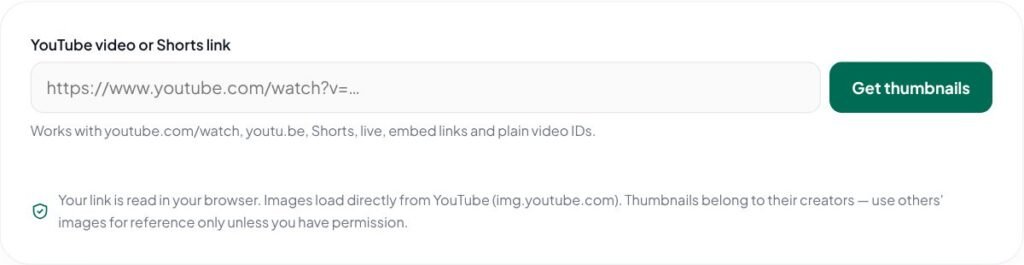
Your link is read in your browser. Images load directly from YouTube (img.youtube.com). Thumbnails belong to their creators — use others' images for reference only unless you have permission.
Save the thumbnail of any video with this free YouTube thumbnail downloader. Paste a video, Shorts, live or embed link and get every available size — from HD 1280 × 720 down to 320 × 180 — ready to download.
Key features of the YouTube Thumbnail Downloader
- Works with videos, Shorts, live and embed links
- All sizes from HD to small
- One-click download or open full size
- No software or sign-up needed
- Your link stays in your browser
How to use the YouTube Thumbnail Downloader
- Copy the video link from YouTube — watch links, youtu.be short links, Shorts, live and embed links all work.
- Paste it into the box and click “Get thumbnails”.
- Preview the available sizes, from HD (1280 × 720) down to 320 × 180.
- Click Download, or “Open full size” to view and save the image.
Why use the YouTube Thumbnail Downloader?
Creators often need their own thumbnails back — for a blog post, a community post, a portfolio or a presentation — and the original design file is not always to hand. Marketers and designers also study thumbnails in their niche to understand what makes people click. This tool reads the video ID from the link and shows the thumbnail images YouTube publishes for that video. Please respect copyright: thumbnails belong to their creators, so use other people’s images for reference only unless you have permission.
Download thumbnails to study competitors, reuse your own artwork, create video portfolios or add a preview image to blog posts and presentations.
Tips for best results with the YouTube Thumbnail Downloader
- Use the HD (maxres) version when available — it is the original 1280 × 720 upload.
- Respect copyright: use other creators’ thumbnails only for reference or with permission.
- Download your own thumbnails to reuse them in blog posts and portfolios.
- If HD is missing, the video was uploaded without a high-resolution thumbnail.
Learn more: read our guide on importance of digital marketing, explore all free online tools, or see YouTube Help.
YouTube Thumbnail Downloader FAQs
Why is the HD (maxres) version missing?
YouTube only creates the 1280 × 720 version for some videos, usually those uploaded in HD or with a custom thumbnail. Use the next size down.
Does it work for YouTube Shorts?
Yes. Paste the Shorts link. These are the standard landscape images YouTube stores for every video, so a vertical Short may appear cropped or with side bars.
Is it legal to download YouTube thumbnails?
Thumbnails are publicly visible, but they are still the creator’s copyrighted work. Downloading your own is fine; use anyone else’s only for reference or with permission.
Why did the image open in a new tab instead of downloading?
Some browsers block direct downloads of images from another website. If that happens, open the image in a new tab, then right-click (or long-press on mobile) and choose Save image.
Is my link sent to your server?
No. The link is read in your browser, and the images load directly from YouTube’s image server (img.youtube.com).
Do I need to install software?
No. Paste the link in your browser and download the thumbnail directly — no app, extension or sign-up needed.
Can I download thumbnails from private videos?
No. Only thumbnails that YouTube makes publicly available can be shown.