
Bulk Image Rename
Free bulk image rename tool. Rename many photos at once with clean, SEO-friendly, numbered file names and download them as a ZIP. No upload, no sign-up.
Runs in your browser — your files are not uploaded and the images are not changed.
Rename dozens of photos in one go with this free bulk image rename tool. Give your images clean, descriptive, SEO-friendly file names with automatic numbering, preview the list, and download everything as a ZIP.
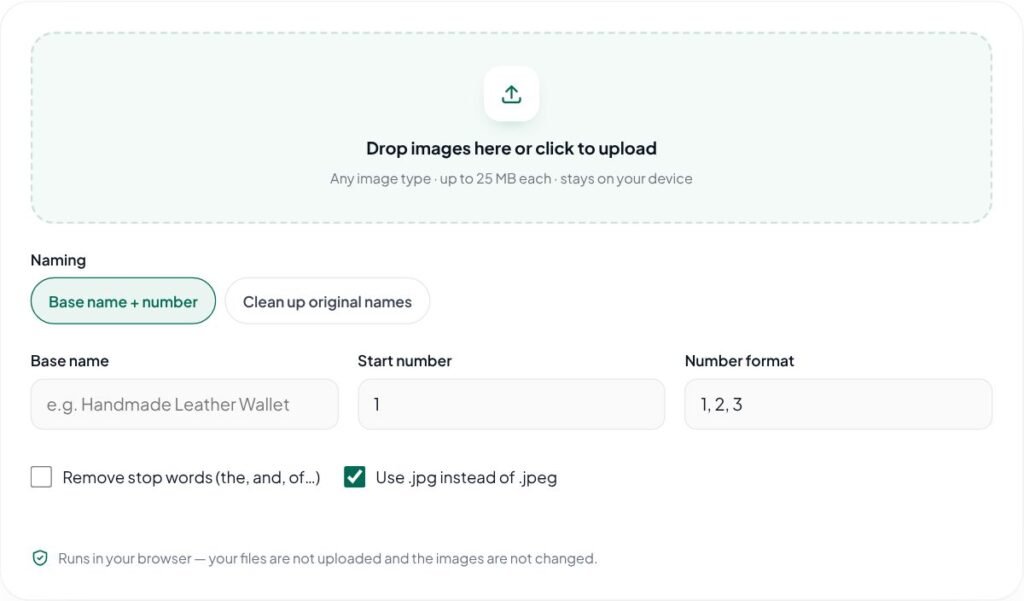
Key features of the Bulk Image Rename
- Rename many images at once
- SEO-friendly, lowercase, hyphenated names
- Custom start number and number format
- Clean up messy camera file names
- Runs in your browser — nothing is uploaded to a server
How to use the Bulk Image Rename
- Add the images you want to rename.
- Type a descriptive base name such as “handmade-leather-wallet”, or choose to clean up the existing names.
- Choose the starting number and number format, then check the preview list.
- Click “Download renamed (ZIP)”.
Why use the Bulk Image Rename?
File names like IMG_4821.jpg tell nobody what an image shows. Google’s image SEO guidance recommends short, descriptive file names, and lowercase, hyphen-separated names are also easier to manage in the WordPress media library. Renaming fifty product photos by hand is slow and error-prone; this tool does it in one step while keeping the image files exactly as they are — only the names change. Everything runs in your browser and nothing is uploaded.
Ideal for product photos, blog images and portfolios — descriptive file names help Google Images understand your pictures and keep your media library organized.
Tips for best results with the Bulk Image Rename
- Describe what is in the photo: “red-cotton-kurta-front” beats “IMG_4521”.
- Use hyphens between words and keep names short and lowercase.
- Rename before uploading to WordPress, because changing file names later breaks links.
- Pair good file names with good alt text for the best image SEO.
Learn more: read our guide on SEO checklist for new websites, explore all free online tools, or see Google’s image SEO best practices.
Bulk Image Rename FAQs
Does renaming change image quality?
No. The image data is copied unchanged into the ZIP file; only the file names are new.
What makes a good image file name?
Describe what is in the image in a few words, with hyphens between words — for example “blue-ceramic-coffee-mug.jpg”. Avoid stuffing keywords or repeating the same phrase on every file.
Is the file name more important than alt text?
No. Alt text matters more for accessibility and helps search engines understand the image. Use both: a descriptive file name and helpful alt text.
How do I open the ZIP file?
Windows, macOS, Android and iOS can all open ZIP files with their built-in file managers.
Can I keep the original file names and just clean them?
Yes. Choose the clean-up option to convert existing names to lowercase, hyphenated, web-safe file names.
Will the images be compressed or changed?
No. Only the file names change; the image data is copied exactly as it is.