
SERP Preview Tool
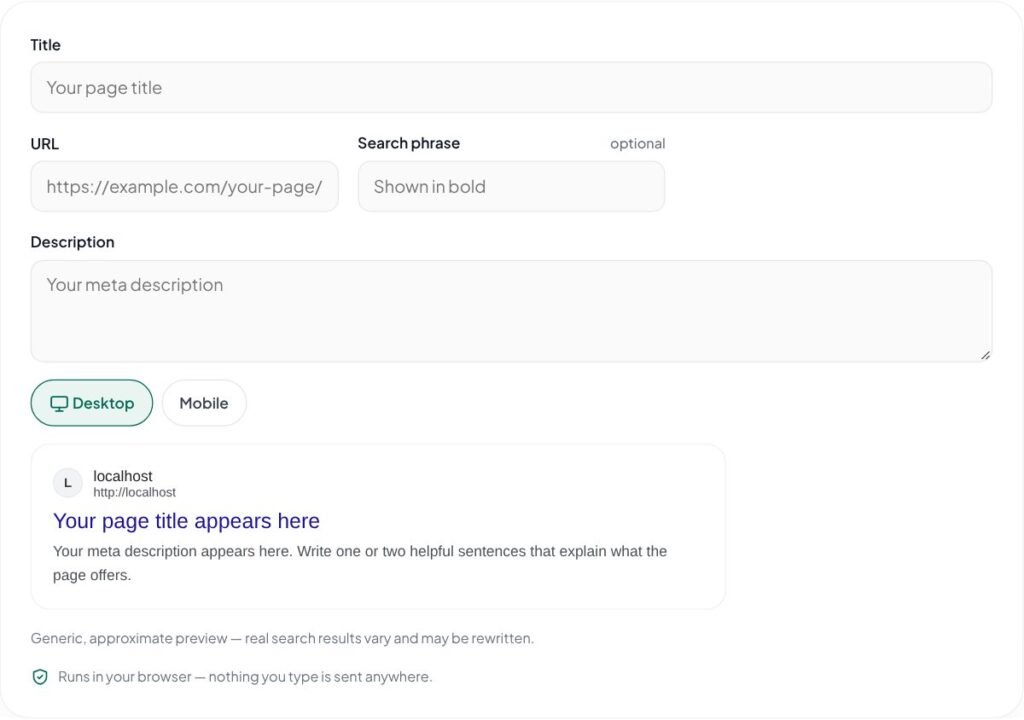
Free SERP preview tool. See how your title, URL and meta description may appear in Google search on desktop and mobile, with keyword highlighting.
Generic, approximate preview — real search results vary and may be rewritten.
Runs in your browser — nothing you type is sent anywhere.
See your page the way searchers do with this free SERP preview tool. Enter a title, URL and description to preview your search result on desktop and mobile, with matching keywords shown in bold.
Key features of the SERP Preview Tool
- Desktop and mobile search previews
- Keyword highlighting like Google
- Live editing of title, URL and description
- Spot truncated text instantly
- Free and private
How to use the SERP Preview Tool
- Enter the title, URL and description for your page.
- Switch between the desktop and mobile views.
- Optionally add a search phrase to see matching words in bold, as search engines often show them.
- Refine the text until it reads well and is not cut off.
Why use the SERP Preview Tool?
Your search result is often the first impression of your brand. A quick preview shows whether the title is cut off mid-word, whether the description actually explains the page, and how the URL path reads. It is especially useful when writing titles for a batch of blog posts or service pages, or when showing a client how a page might look before it goes live. The preview is generic and approximate, because search engines change their layouts and may rewrite snippets.
Polish search snippets for new pages, compare title ideas, and show clients how their pages will look in Google before launch.
Tips for best results with the SERP Preview Tool
- Lead with the benefit or topic searchers care about.
- Keep the URL short and readable — it appears in the result too.
- Include the search phrase naturally so matching words appear in bold.
- Compare several versions and pick the one you would click.
Learn more: read our guide on which on-page element carries the most weight for SEO, explore all free online tools, or see Google Search Central documentation.
SERP Preview Tool FAQs
Is this exactly how my page will appear?
No. It is an approximation using similar fonts and widths. Real results vary by device, location and search, and may include extras such as dates, ratings or site links.
How is this different from the Meta Title & Description Checker?
This tool focuses on the visual preview. The checker adds detailed character and pixel measurements with status colors.
Why are some words bold?
Search engines often highlight words in the snippet that match the search. Type a phrase in the “Search phrase” field to simulate this.
How do I change my SEO title in WordPress?
In Rank Math, open the post and click Edit Snippet in the Rank Math panel. Other SEO plugins have a similar snippet editor.
Does a better snippet improve rankings?
A clear, relevant snippet can increase clicks, and more clicks from the right people is one of the best outcomes of SEO.
Is my text sent anywhere?
No. The preview is generated in your browser.