
Image to PDF
Free image to PDF converter. Combine JPG, PNG and WebP images into one PDF with page size, orientation and margins. Reorder pages, no upload, no watermark.
Runs in your browser — your images and PDF are never uploaded.
Turn photos and scans into a single document with this free image to PDF converter. Add JPG, PNG or WebP images, put them in order, choose the page size and margins, and download one clean PDF.
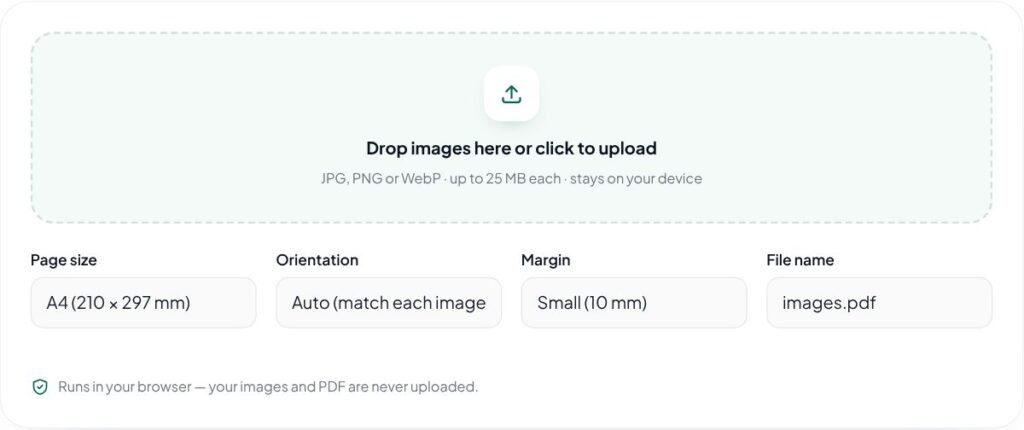
Key features of the Image to PDF
- Combine many images into one PDF
- Reorder and remove pages
- A4, Letter or fit-to-image page size
- Portrait or landscape with margins
- Runs in your browser — nothing is uploaded to a server
How to use the Image to PDF
- Add your images — scans, photos, receipts or design pages.
- Put them in order with the up and down buttons, and remove any you do not need.
- Choose the page size (A4, Letter or fit to image), orientation and margin.
- Click “Create PDF” to download your file.
Why use the Image to PDF?
PDF is the format most people expect for documents: it keeps pages in order, looks the same on every device and is accepted by email systems, job portals and online forms. Turning a set of phone photos or design exports into one tidy PDF is useful for sending invoices, portfolios, signed documents or proofs to clients. Because the PDF is created in your browser, private documents such as ID copies and contracts are not uploaded to anyone’s server.
Convert scanned documents, receipts, certificates, design proofs and photo sets into a PDF for email, printing or submission forms.
Tips for best results with the Image to PDF
- Put pages in order before creating the PDF.
- Choose A4 or Letter for documents and “fit to image” for portfolios.
- Compress large photos first if you need a smaller PDF for email.
- Use margins for documents that will be printed.
Learn more: read our guide on SEO checklist for new websites, explore all free online tools, or see Google’s image SEO best practices.
Image to PDF FAQs
Will my images lose quality?
Images are placed in the PDF as high-quality JPGs at their original resolution, so they look very close to the originals. Transparent areas become white.
Which page size should I choose?
A4 is standard in India, the UK and most of the world; Letter is common in the US and Canada. “Fit to image” makes each page the exact shape of its image, which suits design portfolios.
Why is my PDF file large?
Each image keeps its full resolution. To make the PDF smaller, compress or resize the images first with our Image Compressor.
Is there a page limit?
There is no fixed limit, but many large photos use a lot of memory. If your device slows down, reduce the image sizes first or split the document into several PDFs.
Is there a watermark on the PDF?
No. The PDF is created in your browser with no watermark and no sign-up.
Can I combine PNG and JPG in one PDF?
Yes. You can mix JPG, PNG and WebP images in the same PDF.