
Font Pairing Tool
Free font pairing tool. Preview 20 curated Google Font combinations with your own headline and text, then copy the CSS for your website or brand.
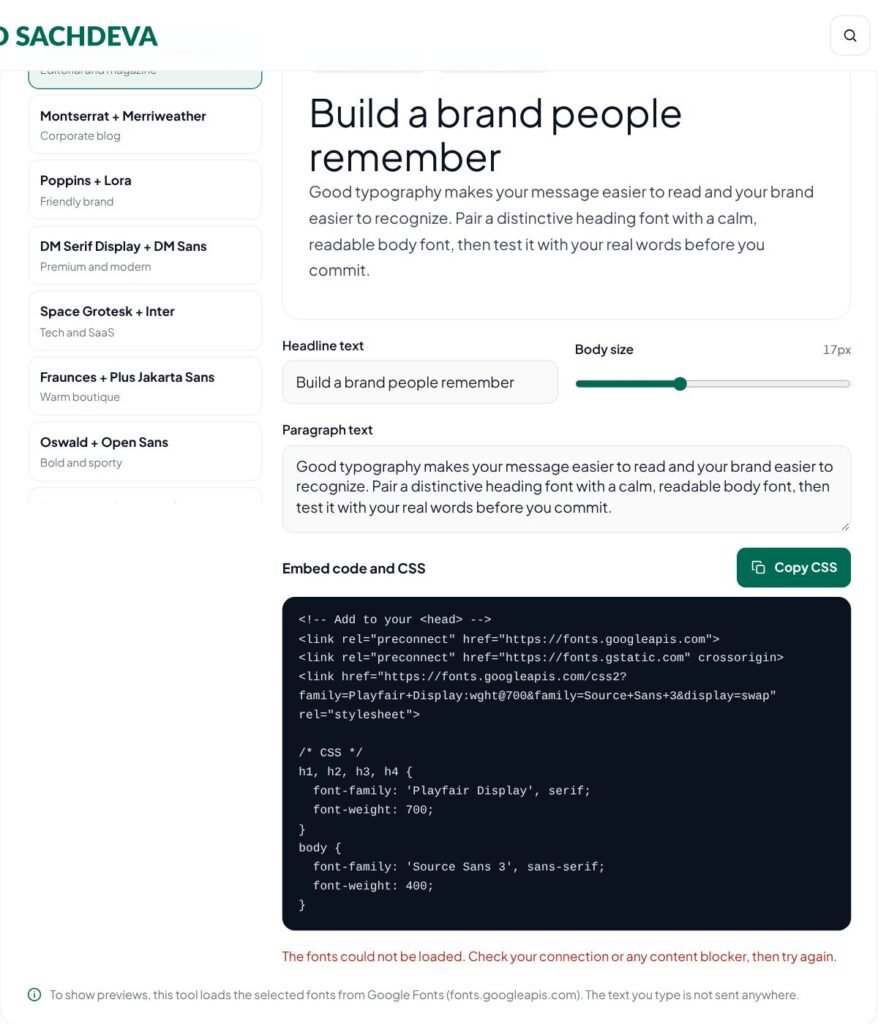
Build a brand people remember
Good typography makes your message easier to read and your brand easier to recognize. Pair a distinctive heading font with a calm, readable body font, then test it with your real words before you commit.
Embed code and CSS
To show previews, this tool loads the selected fonts from Google Fonts (fonts.googleapis.com). The text you type is not sent anywhere.
Find heading and body fonts that work together with this free font pairing tool. Preview 20 curated Google Font combinations using your own words, compare them side by side, and copy the CSS.
Key features of the Font Pairing Tool
- 20 curated Google Font pairings
- Preview with your own headline and text
- Readability check at paragraph size
- Copy embed link and CSS rules
- All fonts free for commercial use
How to use the Font Pairing Tool
- Pick a font pairing from the list.
- Type your own headline and paragraph to see how the fonts look with real words.
- Compare a few pairings, paying attention to readability at paragraph size.
- Click “Copy CSS” to get the embed link and font-family rules.
Why use the Font Pairing Tool?
Typography does much of a brand’s work before anyone reads a word. A good pairing usually combines one distinctive heading font with a calm, highly readable body font. These combinations are chosen to work together and are free to use under open licenses via Google Fonts. Previewing them with your actual headline and copy is far more reliable than judging from a sample alphabet. To show the previews, this tool loads the selected fonts from Google Fonts; the text you type is not sent anywhere.
Choose typography for a new brand, website, blog or presentation — and get a professional, readable look without hours of testing.
Tips for best results with the Font Pairing Tool
- Pair a characterful heading font with a calm, highly readable body font.
- Test pairings with your real headline and a full paragraph, not just a few words.
- Limit a website to two font families to keep it fast and consistent.
- Check the fonts on a phone screen before you decide.
Learn more: read our guide on what is logo design, explore all free online tools, or see Google Fonts.
Font Pairing Tool FAQs
Are these fonts free for commercial use?
Fonts on Google Fonts are released under open licenses, usually the SIL Open Font License, which allows commercial use. Check each font’s page for its exact license.
How many fonts should a website use?
Two is usually enough: one for headings and one for body text. Each extra font or weight adds to page loading time.
Should I load fonts from Google or host them myself?
Both work. Self-hosting avoids a third-party request and can help with privacy; many WordPress themes and plugins can host Google Fonts locally.
Which pairing supports Hindi?
The Mukta and Hind pairing includes Devanagari characters, so it works for Hindi and English content.
Can I use these fonts in Canva or Word?
Yes. Google Fonts can be downloaded and installed on your computer, and many are already available in Canva.
Do more fonts slow down my website?
Yes. Each font file adds weight. Two families with only the weights you need keep pages fast.